Your papers, read and filed. AI only sees the masks.
Drop in any document. Voidcat reads it on your Mac, files it, and lets any AI help without seeing your names, IDs or addresses.
From a pile of papers to answers, in three steps.
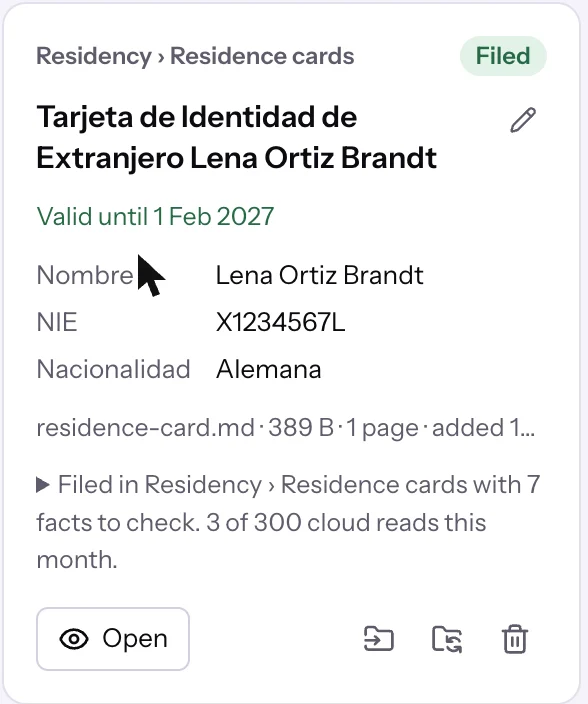
Drop it in.
PDFs, scans, phone photos, spreadsheets, Word files. Voidcat reads them on your Mac with Apple Vision and a local model, gives each a title and files it into the right folder.

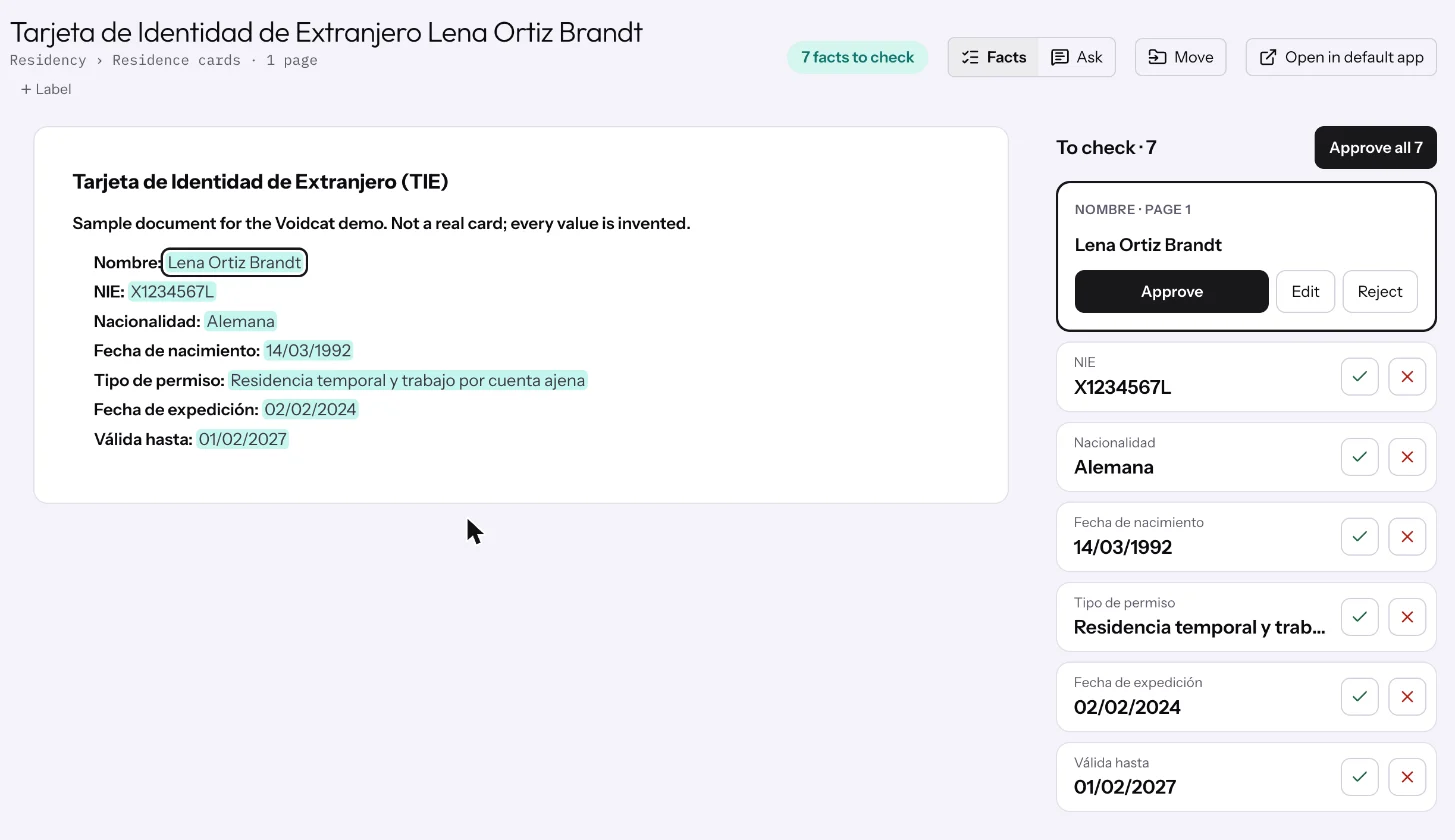
Approve the facts.
Expiry dates, ID numbers, amounts and addresses are pulled out and marked on the page they came from. Nothing counts until you approve it.
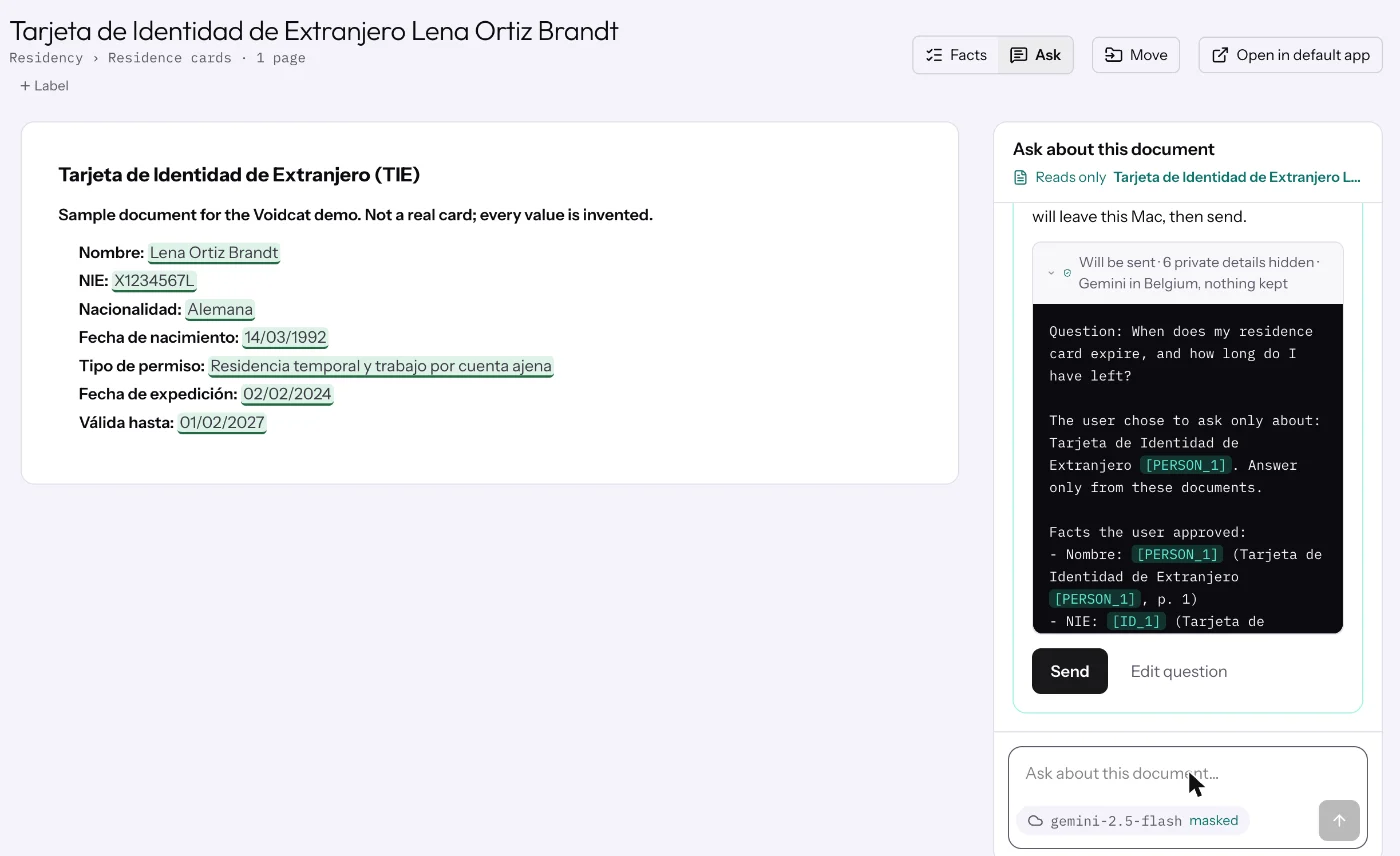
Ask anything, safely.
When does my card expire? What do I bring to the appointment? Use a local model, a cloud model, or Claude Desktop and Cursor through MCP. You see exactly what will be sent before it goes.
What the AI actually gets.
Lena Ortiz Brandt PERSON_1’s residence card
X1234567L ID_1 expires on
01/02/2027 DATE_2, about three months from now.
Names, ID numbers and addresses become placeholders on your device. The AI gets how far away a date is, never the date. The real values go back in when the answer arrives. Example values, invented.
Private by design, not by promise.
- Encrypted on your Mac
- The library and every file are locked with a key in your Mac's Keychain. A recovery key is the only other way in.
- Locked in the cloud too
- Voidcat Cloud is optional and end-to-end encrypted. Google Cloud in Belgium stores only locked bytes; your browser unlocks them.
- See it before it's sent
- Every question to a cloud AI shows its masked text first. A privacy model on your Mac catches names the rules miss.
- Hide it on screen
- Press ⌘⇧H before you share your screen and private details turn into placeholders there too.
- Never miss a date
- Renewals 60 days before an expiry, appointments and monthly payments, as Mac notifications or in your calendar.
- Light to run
- About 0.06 g CO₂e to read and file one document on your Mac, measured with the SCI method.
Get Voidcat for Mac.
Free and open source. Voidcat Cloud is free while it's in beta.
- Open the download and drag Voidcat into Applications.
- Open it once from Settings. Voidcat isn't signed by Apple yet, so macOS stops it the first time. Go to System Settings › Privacy & Security and choose Open Anyway. You only do this once.
- Let it set up reading. Voidcat installs the local model for you, no Terminal needed. Leave about 7 GB free.